Blog
Wired vs Wireless Security Cameras: Which Is Better for Your Home?
Published · By Lou Flores · 12 min read
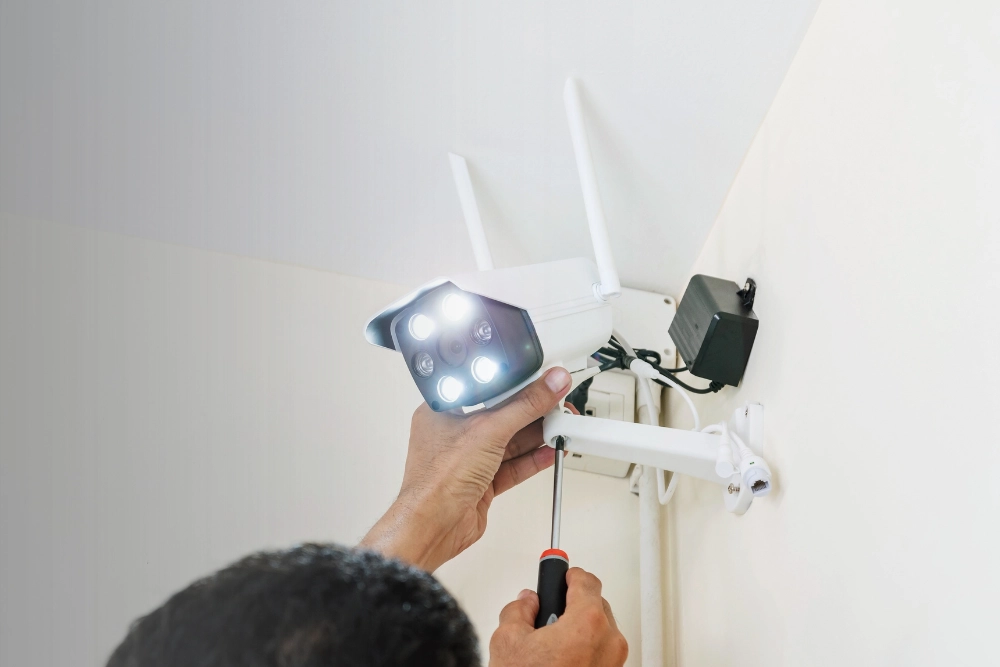
Selecting the appropriate home security camera system requires an understanding of connectivity, installation requirements, recording capabilities, and long-term reliability. For homeowners comparing wired vs wireless security cameras, the primary consideration is how each system performs within the property's existing infrastructure.
Wired security cameras generally offer stable connectivity and are suitable for permanent installations. Wireless security cameras provide greater installation flexibility, particularly where extensive network cabling is impractical.
Neither option is universally superior. The appropriate choice depends on the property's layout, monitoring requirements, available network infrastructure, and maintenance preferences.
At AllStar Home Solutions, we assist customers in evaluating smart home security solutions based on their residential security and connectivity requirements. This guide examines the differences between wired and wireless cameras, their advantages and limitations, and the factors homeowners should consider before selecting a system.
What Is the Difference Between Wired and Wireless Security Cameras?
The primary difference between wired and wireless security cameras is how video footage and other data are transmitted.
Wired security cameras use physical connections, typically Ethernet or coaxial cables, to communicate with recording equipment or network infrastructure.
Wireless security cameras transmit footage through Wi-Fi or another supported wireless technology. However, wireless connectivity does not necessarily mean the camera operates without electrical wiring, as some models require a continuous power connection.
Both technologies can provide effective residential surveillance when properly configured and maintained.
How Wired Security Cameras Work
Wired security cameras establish direct connections to recording equipment or network infrastructure through physical cabling.
Common configurations include:
- Ethernet Cameras: Transmit digital video through network cables.
- Power over Ethernet (PoE) Cameras: Receive data and electrical power through compatible Ethernet connections.
- Analog Cameras: Transmit video through coaxial cables to compatible recording equipment.
Depending on the system, recorded footage may be stored using a network video recorder (NVR), digital video recorder (DVR), or another compatible storage solution.
Wired systems are frequently used for permanent installations requiring multiple cameras and consistent network connectivity.
How Wireless Security Cameras Work
Wireless security cameras transmit video footage through Wi-Fi or another compatible wireless network.
Depending on the equipment, electrical power may be supplied through an outlet, rechargeable battery, or compatible solar charging accessory.
Recorded footage may be stored locally, uploaded to cloud-based storage, or managed through a combination of both methods.
Wireless cameras offer flexibility in locations where additional network cabling may be difficult to install.
However, their performance depends on wireless signal strength, available network capacity, power requirements, and equipment specifications.
Wired vs. Wireless Security Cameras: Key Differences
Understanding the technical and practical differences between these systems can help homeowners determine which configuration is appropriate for their property.
| Feature | Wired Security Cameras | Wireless Security Cameras |
|---|---|---|
| Connectivity | Ethernet or coaxial cable | Wi-Fi or compatible wireless technology |
| Installation | Requires physical cabling | Generally requires less data cabling |
| Connection Reliability | Less susceptible to wireless interference | Depends on wireless signal strength and network conditions |
| Power Requirements | PoE or separate electrical connection | Battery, electrical outlet, or compatible solar accessory |
| Video Quality | Supports high-resolution recording | Supports high-resolution recording with adequate network capacity |
| Storage Options | Local, cloud, or hybrid depending on system | Local, cloud, or hybrid depending on system |
| Maintenance | Cable, equipment, and software inspections | Battery, network, equipment, and software maintenance |
| Placement Flexibility | Influenced by cable routing | Greater flexibility within wireless and power coverage |
| Suitable Applications | Permanent and multi-camera installations | Flexible installations and locations with limited cabling |
The following sections examine these differences in greater detail.
1. Installation Requirements
Wired Security Cameras
Wired security camera systems generally require more extensive installation because cameras must connect physically to recording equipment, network infrastructure, or power sources.
Installation may involve routing cables through walls, ceilings, attics, and exterior areas.
These requirements make wired systems particularly suitable for new construction, renovation projects, and properties with existing surveillance infrastructure.
Wireless Security Cameras
Wireless cameras typically require less data cabling, providing greater flexibility in camera placement.
Many models connect to an existing Wi-Fi network and can be configured through compatible mobile applications.
However, cameras requiring continuous electrical power must still be installed near an appropriate power source.
2. Connection Reliability
Wired Security Cameras
Properly installed wired connections are generally less susceptible to wireless interference, signal degradation, and Wi-Fi congestion.
This can support consistent video transmission, particularly when operating multiple cameras or recording high-resolution footage.
However, wired systems may still experience interruptions caused by damaged cables, equipment malfunctions, or electrical outages.
Wireless Security Cameras
Wireless cameras depend on the strength and stability of the available wireless network.
Building materials, distance from the router, and interference from nearby electronic devices can affect performance.
Insufficient Wi-Fi coverage may result in delayed notifications, interrupted video streams, or temporary connection failures.
3. Power Requirements
Wired Security Cameras
Certain wired cameras use Power over Ethernet technology, allowing compatible equipment to transmit data and electrical power through a single Ethernet cable.
Other systems require separate electrical connections.
Although wired cameras may receive continuous power during normal operation, backup power equipment may be necessary to maintain functionality during electrical outages.
Wireless Security Cameras
Wireless cameras may operate through rechargeable batteries, direct electrical connections, or compatible solar charging systems.
Battery-powered cameras offer greater placement flexibility but require periodic charging or battery replacement.
Battery performance varies according to recording activity, environmental temperature, device configuration, and operating conditions.
4. Video Quality and Recording Performance
Both wired and wireless security cameras are available with high-definition recording capabilities.
Actual video quality depends on several factors, including:
- Camera resolution
- Image sensor performance
- Video compression technology
- Lighting conditions
- Recording configurations
- Available network capacity
Wired systems may offer advantages for continuous high-resolution recording because video transmission does not depend on Wi-Fi connectivity.
Wireless cameras can also deliver high-quality footage when adequate network capacity and signal strength are available.
The connection method alone does not determine overall video quality.
5. Storage and Remote Monitoring
Both wired and wireless security camera systems may support local storage, cloud storage, or a combination of both.
Local Storage
Local storage systems save recorded footage to compatible devices, such as NVRs, DVRs, or memory cards.
Depending on the configuration, local recording may continue during an internet outage, provided the cameras, recording equipment, and necessary network infrastructure remain operational.
Cloud Storage
Cloud-based systems transmit recorded footage to remote servers through an internet connection.
Available features may include remote video access, event notifications, and centralized recording management.
However, cloud functionality depends on internet availability and the capabilities of the selected provider.
Certain storage and monitoring features may also require an ongoing subscription.
6. Maintenance Requirements
Wired security camera systems generally require less battery-related maintenance when connected to continuous electrical power.
However, periodic inspections of cables, connectors, recording equipment, and camera housings remain necessary.
Wireless cameras may require battery maintenance, firmware updates, network troubleshooting, and occasional repositioning to maintain adequate connectivity.
Both systems benefit from routine maintenance, software updates, and appropriate cybersecurity measures.
Advantages and Disadvantages of Wired Security Cameras
Wired security camera systems provide several benefits for homeowners seeking permanent surveillance infrastructure.
Advantages
- Stable Connectivity: Physical connections reduce dependence on wireless signal strength.
- Continuous Recording: Many wired systems support uninterrupted recording when properly configured and powered.
- Multiple-Camera Support: Wired infrastructure can accommodate several cameras without adding substantial video traffic to the home's Wi-Fi network.
- Reduced Wireless Interference: Physical connections minimize disruptions associated with competing wireless devices.
- Long-Term Installation: Wired systems are suitable for properties requiring permanent surveillance infrastructure.
Disadvantages
- Extensive Installation Requirements: Cable routing may require additional planning and installation work.
- Limited Placement Flexibility: Relocating cameras may involve modifying existing wiring.
- Additional Infrastructure: Certain systems require compatible recording equipment, network switches, and power supplies.
Wired systems are generally appropriate for properties where consistent surveillance performance and permanent installation are priorities.
Advantages and Disadvantages of Wireless Security Cameras
Wireless security cameras provide an alternative for homeowners prioritizing installation flexibility and convenient system management.
Advantages
- Flexible Installation: Cameras can be positioned in locations with adequate wireless coverage and suitable power availability.
- Reduced Cabling Requirements: Many wireless systems require less physical network infrastructure.
- Remote Monitoring Capabilities: Compatible models allow users to access camera footage through mobile applications.
- System Expansion: Additional cameras may be integrated when supported by the network and recording platform.
- Compatibility With Existing Properties: Wireless systems can reduce the need for extensive structural modifications.
Disadvantages
- Dependence on Wireless Connectivity: Insufficient Wi-Fi coverage may interrupt video transmission.
- Potential Network Interference: Nearby electronic devices and physical obstructions may affect connection stability.
- Battery Maintenance: Battery-powered models require periodic charging or replacement.
- Internet-Dependent Features: Certain cloud storage and remote monitoring functions may become unavailable during internet interruptions.
Wireless security cameras are often suitable for smaller residential properties, rental homes, and locations where extensive cable installation is impractical.
Are Wired Security Cameras Better Than Wireless?
Neither wired nor wireless security cameras are universally superior. Each technology offers advantages depending on the property's layout, available infrastructure, and intended surveillance requirements.
For example, homeowners installing multiple outdoor cameras across a large property may benefit from wired connections that reduce reliance on wireless coverage.
Alternatively, households requiring a limited number of cameras near entrances or garages may find wireless systems more convenient to install and manage.
Important factors to evaluate include:
- Number of cameras required
- Property size and layout
- Existing electrical and network infrastructure
- Wireless network coverage
- Recording and storage preferences
- Ongoing maintenance requirements
- Long-term security objectives
Assessing these considerations can help determine which system offers the most appropriate balance of reliability, functionality, and installation flexibility.
Which Security Camera System Is Best for Different Home Types?
Single-Family Homes
Single-family residences can accommodate both wired and wireless security camera systems.
For comprehensive outdoor surveillance, wired cameras may be appropriate when suitable network cabling can be installed.
Wireless cameras may provide a practical solution for monitoring entrances, garages, and selected exterior locations.
Apartments and Rental Properties
Wireless security cameras may be more suitable for rental properties because many models require fewer permanent modifications.
However, installations must comply with applicable lease agreements, property regulations, and privacy requirements.
Large Residential Properties
Larger properties may require multiple cameras distributed across different structures and outdoor areas.
Wired systems can provide consistent connectivity where appropriate cabling infrastructure is available.
Wireless systems may also be effective, although additional networking equipment may be necessary to maintain adequate coverage.
Homes With Existing Smart Home Devices
Properties equipped with smart locks, video doorbells, and other connected devices may benefit from security cameras compatible with their existing smart home platforms.
Before selecting equipment, homeowners should verify compatibility with their preferred applications, recording systems, and automation features.
A coordinated smart home security system can help homeowners manage compatible monitoring devices through a centralized platform, depending on the equipment selected.
Important Considerations Before Installing Home Security Cameras
Selecting a connection type is one component of establishing an effective residential surveillance system.
Additional considerations can influence installation suitability, security coverage, and long-term performance.
Camera Placement
Camera placement should be determined by identifying the areas requiring surveillance.
Common monitoring locations include primary entrances, driveways, garages, and other exterior access points.
Cameras should be positioned to capture relevant activity while respecting neighboring properties and applicable privacy requirements.
Internet and Network Requirements
Wireless security cameras require sufficient network coverage and capacity to support their intended functionality.
Households operating multiple connected security devices should evaluate router performance, wireless signal distribution, and available internet upload capacity.
For cloud-based recording and remote monitoring, a reliable internet connection is particularly important.
Homeowners evaluating their broader connectivity requirements can explore our home internet and connectivity services to review available options for supporting connected household devices.
Weather Resistance
Outdoor security cameras should meet appropriate environmental protection standards and operating temperature requirements.
For homeowners in Vancouver, Washington, and Portland, Oregon, selecting equipment designed to withstand rain and moisture is an important consideration.
Installation planning should also account for sunlight exposure, weather conditions, and potential physical damage.
Privacy and Data Security
Connected security cameras require appropriate cybersecurity protections to reduce unauthorized access.
Recommended practices include:
- Establishing strong, unique account passwords
- Enabling multifactor authentication when available
- Installing manufacturer firmware updates
- Restricting unnecessary account access
- Reviewing available privacy and recording controls
Homeowners should also evaluate the manufacturer's privacy policies and data storage practices before selecting a system.
Frequently Asked Questions
Do wireless security cameras work without Wi-Fi?
Certain wireless cameras support local recording or alternative communication technologies, depending on their specifications. However, Wi-Fi cameras generally require an active wireless network connection for network-based features, including remote monitoring and cloud uploads.
Can wired security cameras work without internet access?
Yes. Some wired security systems can continue recording locally without internet access, provided the cameras, recording equipment, and local network remain operational. Remote monitoring and cloud-based features may be unavailable until internet connectivity is restored.
Are wired security cameras more secure than wireless cameras?
Wired connections reduce certain risks associated with wireless communication. However, overall system security also depends on software updates, authentication controls, network configuration, and data storage practices.
Do wireless security cameras need electricity?
Yes. Wireless security cameras require electrical power to operate. Depending on the model, power may be supplied through rechargeable batteries, electrical outlets, or compatible solar charging systems.
Can wired and wireless security cameras be used together?
Yes. Certain security platforms support a combination of wired and wireless cameras. Compatibility depends on the recording system, network infrastructure, and manufacturer specifications.
Which security camera system is easier to maintain?
Maintenance requirements vary by equipment and installation type. Wired cameras generally eliminate routine battery charging when continuously powered, while wireless cameras may require battery maintenance and network troubleshooting. Both systems benefit from software updates and periodic equipment inspections.
Choosing the Right Security Camera System for Your Home
Selecting between wired and wireless security cameras requires an assessment of the property's infrastructure, surveillance objectives, and ongoing maintenance requirements.
Wired systems may offer advantages for permanent installations and continuous recording, while wireless systems provide greater flexibility and simplified installation.
At AllStar Home Solutions, we assist customers in evaluating available smart home security and connectivity options to support informed purchasing decisions.
For homeowners in Vancouver, WA, Portland, OR, Medford, OR, and Crescent City, CA, our team can provide guidance on available residential security solutions.
Explore our smart home security services or contact us at (360) 334-2375 to discuss your household's security and connectivity requirements.
Compare internet and mobile options
Share a few details and a member of the AllStar team will follow up to discuss the internet and mobile options available to you and next steps.